
I get married on October 10, and AI did a large share of the planning work: the seating chart, the payment reminders, the place cards, the seating posters, and a bot that answers guest questions.
One guest list instead of ten CSVs
The guest list started where most do: CSV exports from Zola, saved to my laptop over and over. By summer I had several files and no way to tell which one was current.
I moved the list into one Supabase table. It holds each guest's name, RSVPs for the wedding and the Sunday brunch, dietary needs, hotel, shuttle answer, table and seat. Zola has no API, so I still download a CSV from Zola by hand when RSVPs change. A script Claude wrote matches each row to a guest by name and updates the RSVP fields. If a match is unclear, the script stops and writes nothing. It never touches table or seat assignments, and it archives guests who drop off instead of deleting them.
Everything else in this post reads from that one table. The seating app, the place cards, the posters and the bot all pull the same live names. That was the decision that paid off most, because once AI tools were doing the work, each one needed a list it could trust.
The planning site
I wrote about the first version in Create a wedding planning website that doesn't suck. It's a private dashboard at a subdomain of my site, built with Claude Code on Next.js, Vercel and Supabase. My fiancée, our parents and the band each log in and see only their part.
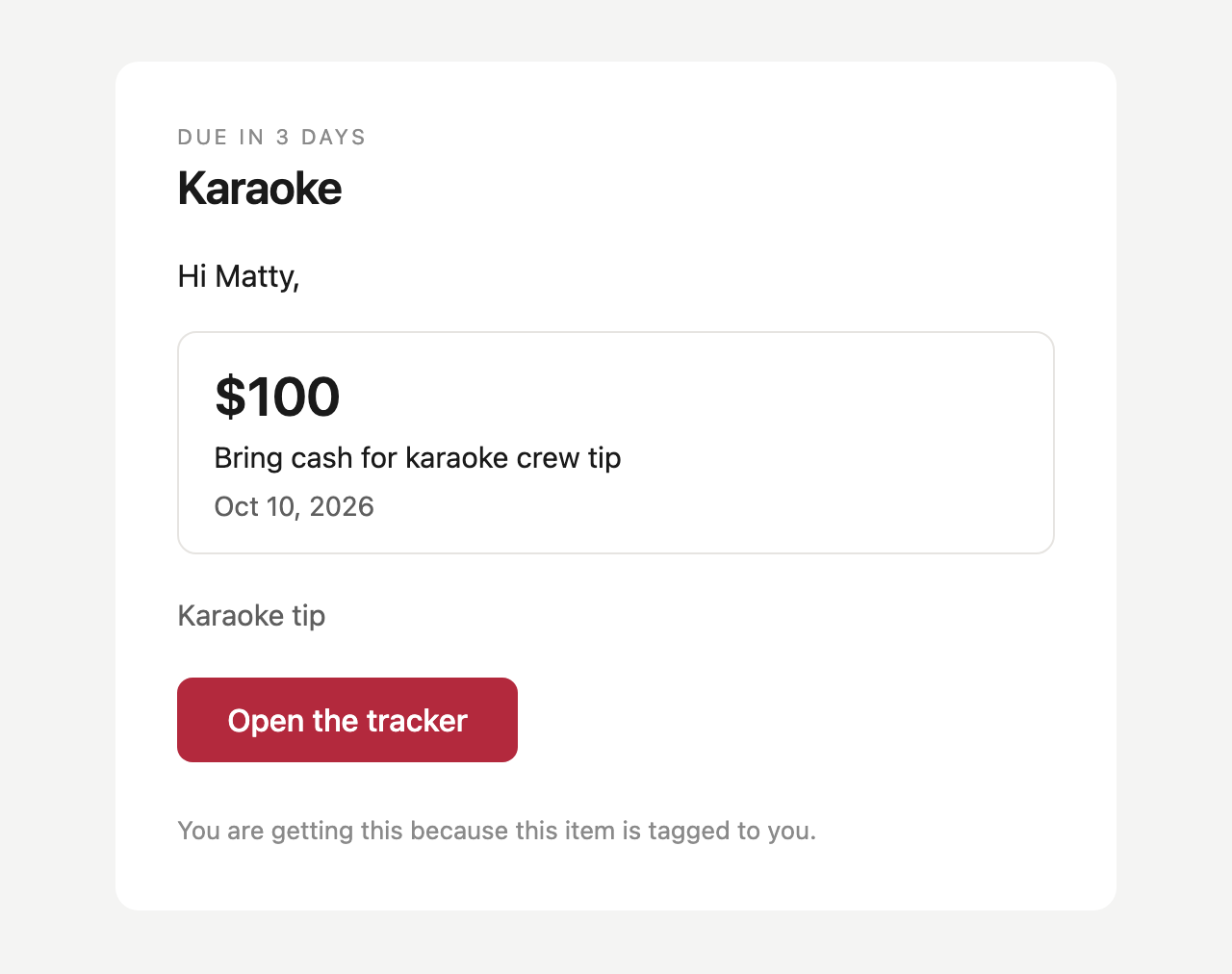
It tracks every vendor's contract, what's been paid, and what's left. Each payment or deadline has an owner and a due date. A cron job runs every morning at 8 AM and emails the owner through Resend at 7, 3 and 1 days before anything is due. Before this, deadlines lived in Notion, and I forgot to check Notion. Email shows up whether I remember or not.
The site also holds the reception run of show (19 time slots) and the band setlist.
The seating app
The seating chart was the hardest planning job and the part of the site I used most.
The Arrange page has three panels: a list of unseated guests, a map of the reception room with all 21 tables laid out from the venue's floor plan, and the chairs of whichever table you select. You drag a guest onto a table or a specific chair. Dropping on a taken chair swaps the two guests. Dragging one table onto another swaps the whole table. On a phone, you tap a guest and then tap a table.
Every move shows at once and can be undone, up to 30 steps. Each save goes to the database as a single write, and the database blocks two guests in one chair or more guests than a table holds. The page shows live counts of who still needs a seat, plus dietary notes for the selected table.
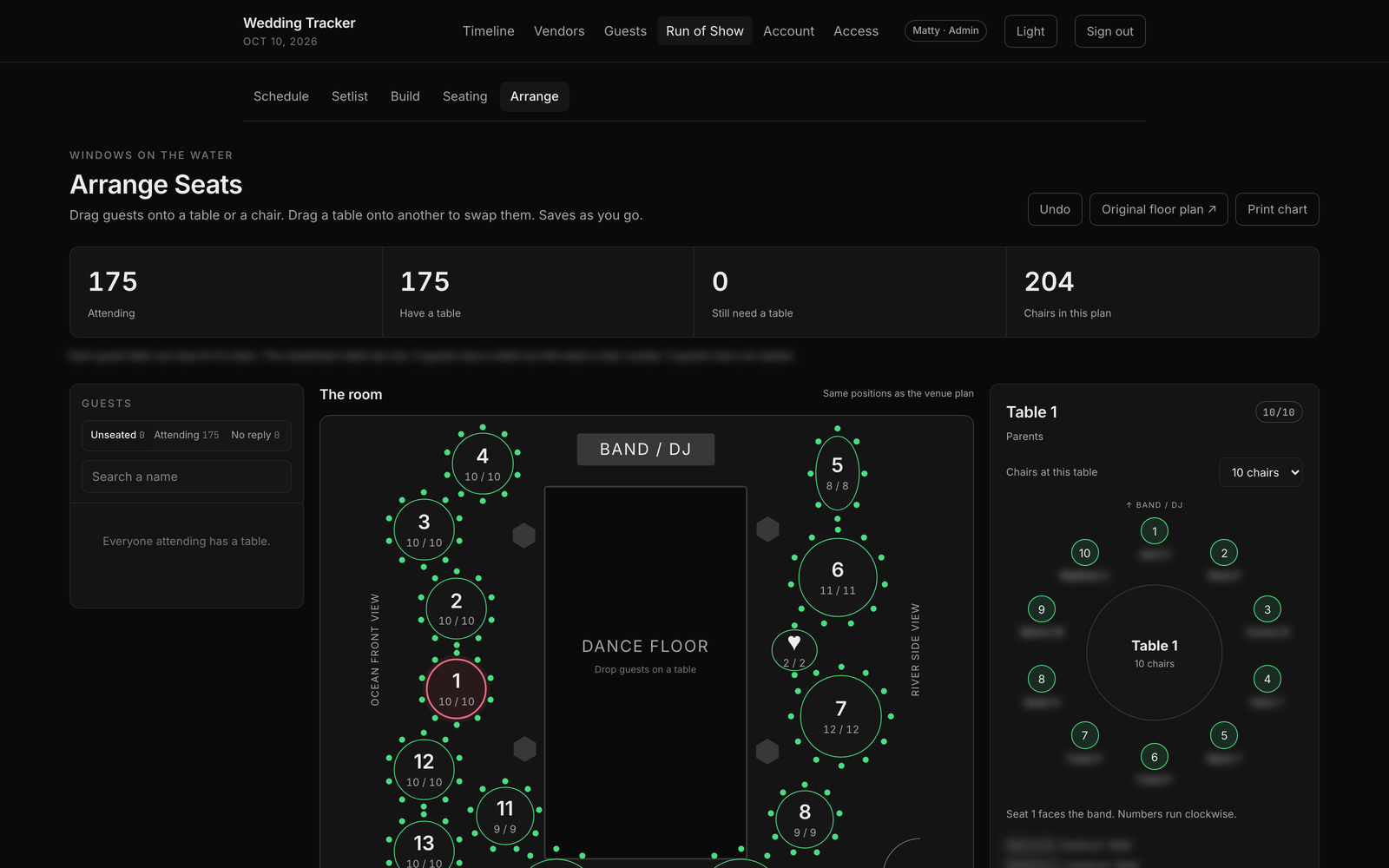
Claude built the drag-and-drop version in a single day of commits. The debugging notes list 15 drag-and-drop bugs fixed along the way.
Arrange replaced an older click-based planner, and some things didn't make the move. The old page had a seat-number dropdown per guest, a button to clear a chair but keep the table, and a filter for tables with an empty chair. A page that printed table-themed escort cards also never made it into the repo. It exists on one laptop only. If you build something like this, commit as you go.
Place cards
I asked Claude for the fastest way to make the place cards. It pulled every name and table from the seating data, laid out fold-over tent cards in HTML (4 per page, the top half upside down so the card reads from both sides), and turned them into a print-ready PDF.
The first pass took about five minutes. After three late declines, the final file was 175 cards on 44 pages. I sent the PDF to a print shop, and they printed and cut them. The revisions were all name fixes: a misspelled "Liz" and two guests who share a name.
Seating posters
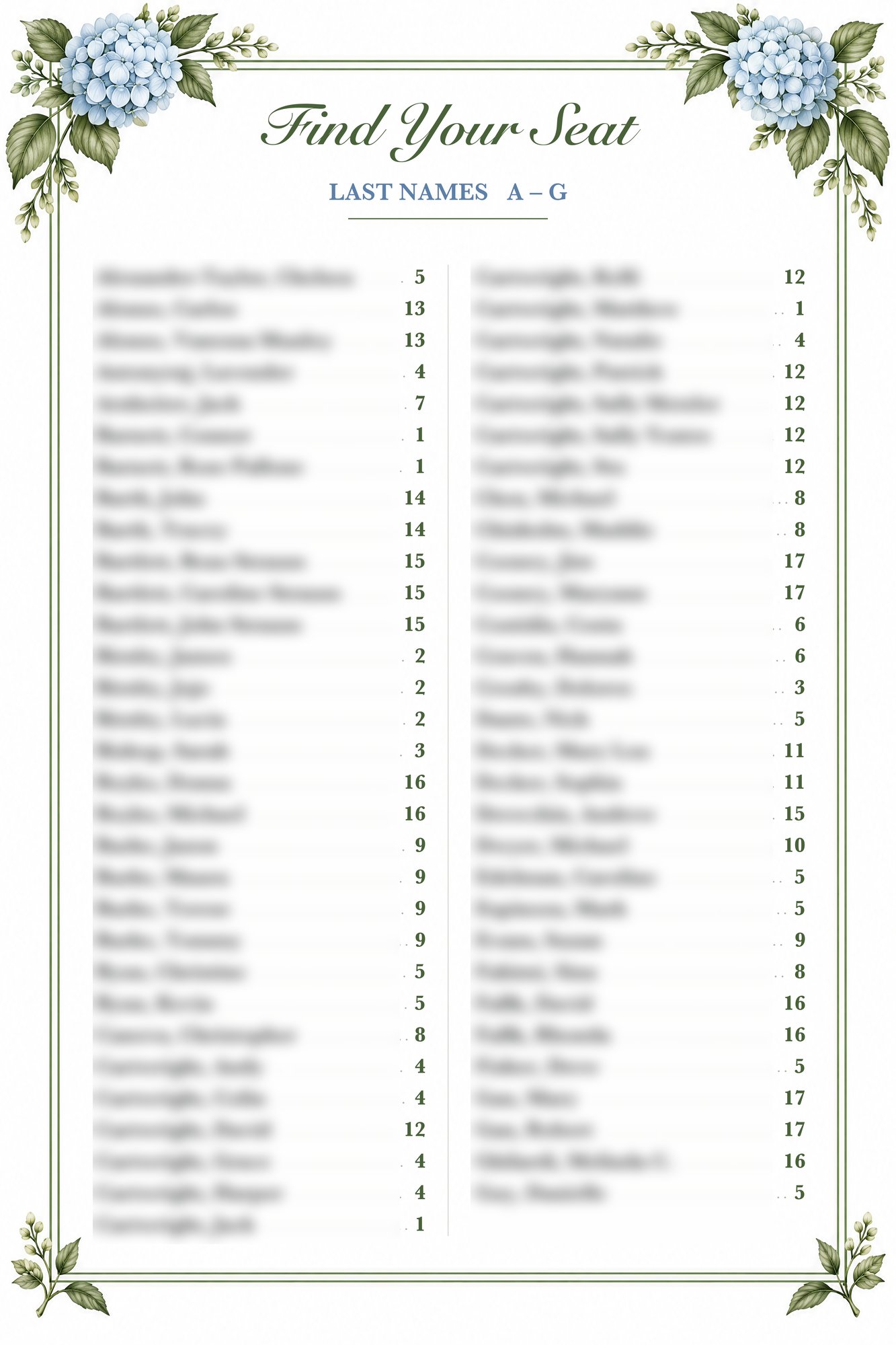
Guests find their table on three 24 by 36 inch posters, split by last name (A to G, H to M, N to Z).
Image models are bad at text. Letters come out faded or smeared in spots. So I split the job. Higgsfield generated the background art with no text in it. Claude drew the text on top with Python: names in two columns, dotted lines out to a table number in bold green.
The first export was about 97 DPI at poster size, which would print soft. Claude rebuilt it at 300 DPI (7200 by 10800 pixels), enlarged the background, and redrew the text at full size, so the type stays sharp. The same background and script made two more signs for the guest book and a family photo table.
A concierge bot for guests
Guests ask the same questions: what time, where, what to wear, which shuttle, what happens at a Catholic Mass. I built a bot to answer them, using Hermes, an open-source agent framework, running a GPT model.
A guest messages the bot and gives their name. The bot matches it against the live guest list. It handles typos, nicknames and guests who share a name, by asking "which one are you?" Then it answers with that guest's table and their own schedule. A guest invited to the Sunday brunch sees the brunch; a guest who wasn't invited doesn't.
The bridal party and close family get a second tier: Friday's rehearsal and rehearsal dinner, plus their own Saturday schedule by role. They get it by sending a passphrase. The passphrase check runs in code, not in the prompt, so the model never sees rehearsal details until the check passes, and no clever question can talk it out of them. I turned off every other tool the agent had (web, files, memory), so all it can do is look up wedding facts.
Very few guests have used it, because it runs on Telegram, and most of my guests don't have Telegram. I applied for a toll-free Twilio number so guests could text it like any phone number. Twilio quoted 3 to 5 business days for approval. I'm on day 4, two days before the wedding, and still waiting. The code for texting is done.
What I'd change
| Piece | What I used | Keep or change |
|---|---|---|
| Invitations, Save the Dates, registry | Zola | Keep. The design starting point and print-on-demand saved time. |
| Guest-facing website | Zola | Change. I'd build my own. I put it off and ran out of time. |
| Guest list | Supabase | Keep. Do it on day one. |
| Reminders | Resend | Keep. |
| Guest bot | Telegram | Change. Start on SMS, and apply for the number weeks early. |
Zola was a good place to start. It put the invitations, printing, registry and website in one place. It has no AI features.
Most of the work here came down to one live guest list that every tool could read. The seating app, place cards, posters and bot each took hours or less once that was in place.